R

Plan, write, and
finish your book
all in one place.

A complete writing app that takes you from your first outline to a finished, submission-ready manuscript.

Native Mac App
Web App
Works Offline
Cloud Sync
Plan

Plotter, pantser, or gardener,
we've got you.

Map out every thread before chapter one, or grow the story as you go and tidy the outline later. Either way, your outline, characters, plot threads, and story bible live in one place.
Getting started
Start fresh, or bring your book in.
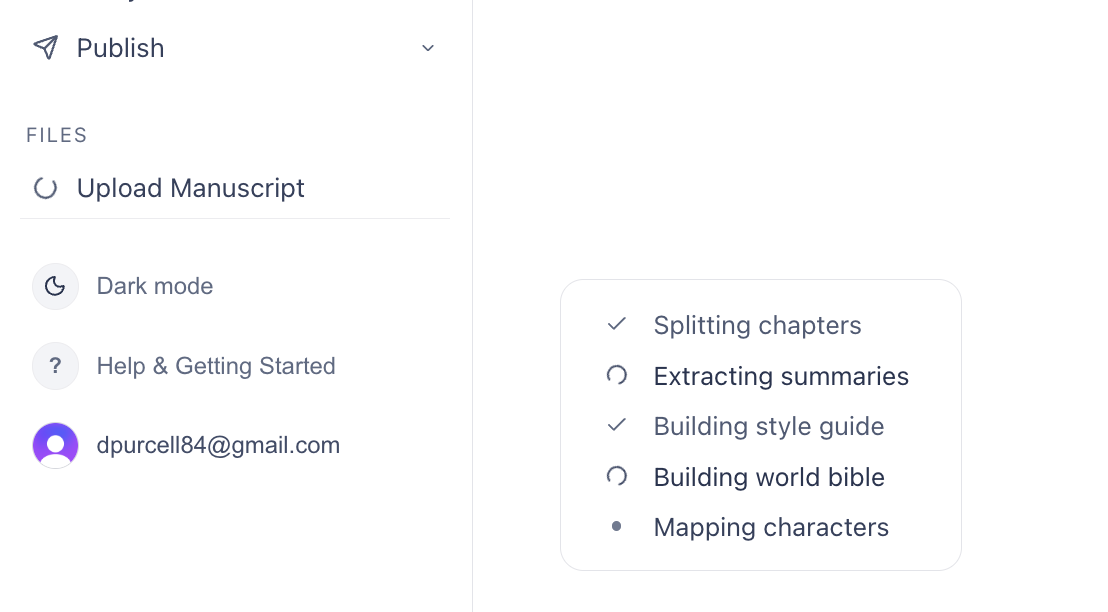
Beginning a new book? Start with a blank page and build as you go. Already have a manuscript? Drop in a PDF or Word file — it splits into chapters and builds out your world bible, characters, threads, and arcs automatically.
Getting started
Write

A focused place
to actually write.

A distraction-free editor, versioning so you never lose a word, and read-aloud to catch what your eye skips.
Editor
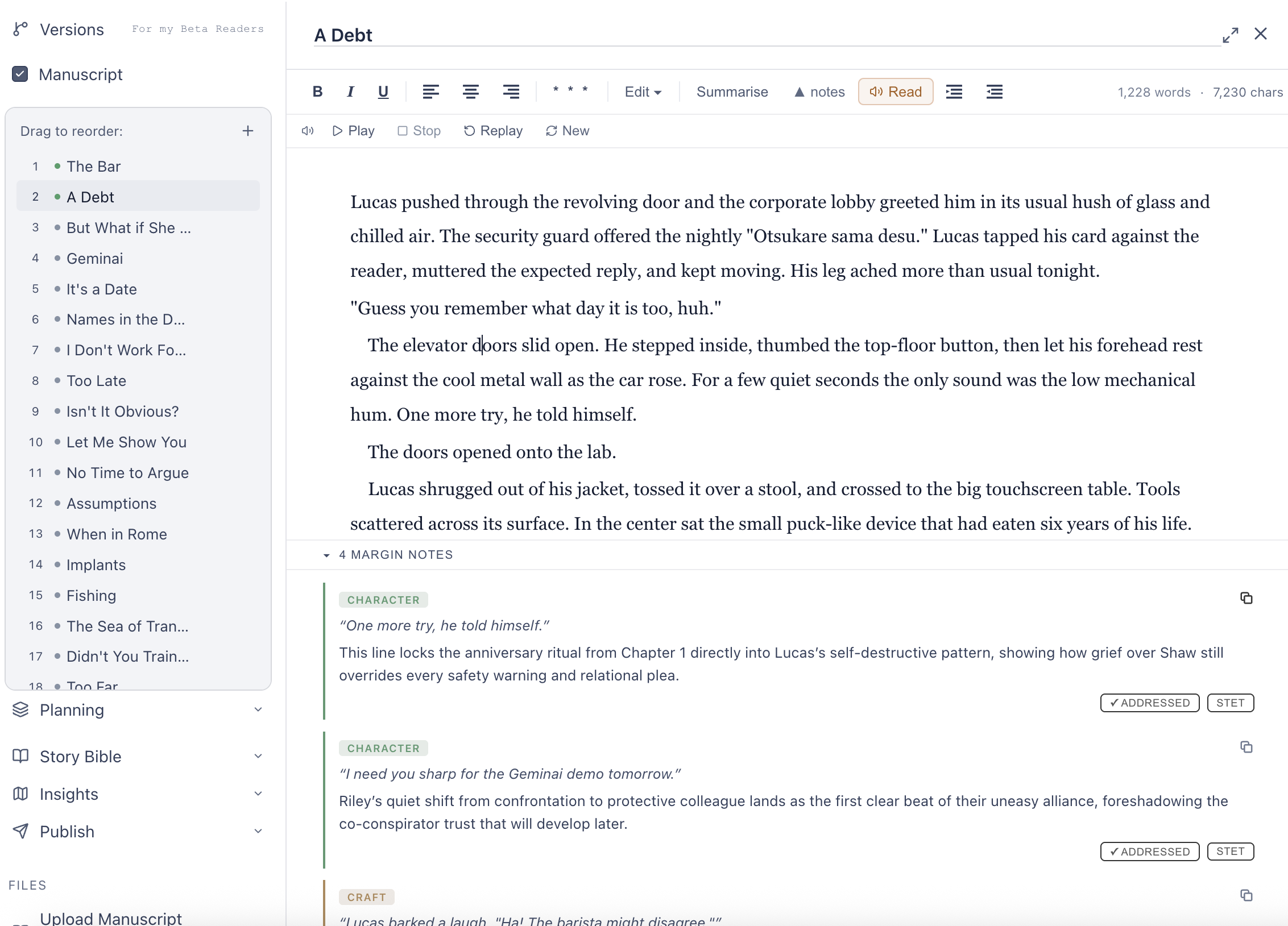
A clean place to write.
A focused chapter editor with scenes, footnotes, and margin notes — plus a distraction-free mode when you want nothing on screen but the page.
Editor
Edit

A writing buddy
who's read your book.

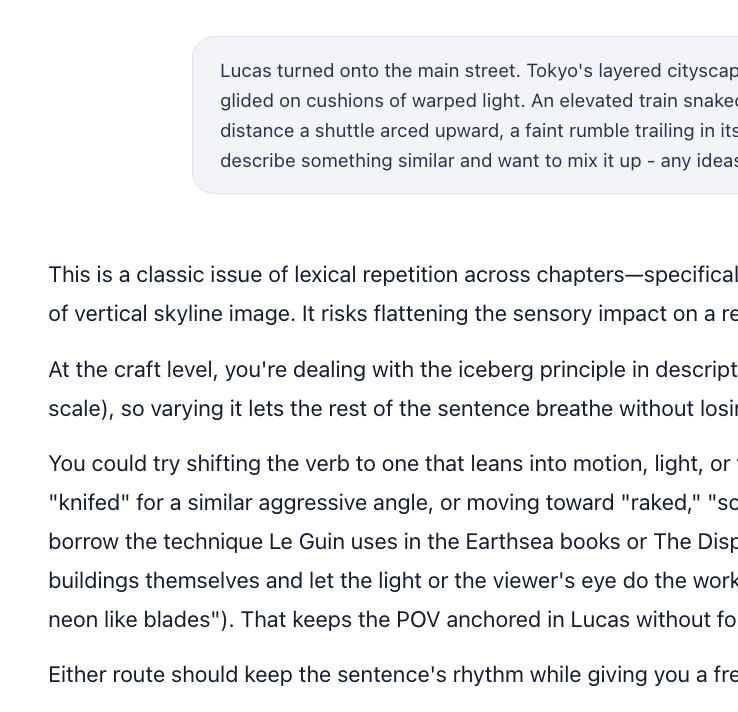
Need to bounce an idea around, get a second read on a scene, or find out how other authors have handled the same problem? The Writing Buddy has read your whole book. It knows your cast, your style and where you are in the story, and you can set it to answer through the lens of the genre you are writing in. Generic chatbots give generic advice, hallucinate your facts, and lose the thread as the book grows. This one remembers your protagonist's eyes are brown.
Writing Buddy
A partner that knows your whole story.
The back-and-forth you'd have with a chatbot — brainstorming, research, "does this land?" — purpose-built for a novel's scale and facts, so it never loses the thread.
Writing Buddy

Get it ready
for readers.

Write clear, engaging, intentional prose. The editorial stack helps you polish it, reading through the editor you chose and the style guide you wrote. Nothing changes a word until you accept it.

Mastering sentence structure. It reads for the places where an idea or a feeling could land more clearly, or more memorably, than the shape it currently has, and shows you the same sentence built another way.

CumulativeKeep the reader moving while you add the detail.
PeriodicLand the point last, so the sentence closes on its weight.
AbsoluteShow the body while the sentence does something else: her hands shaking, she…
AppositiveSay who someone is without stopping to say it.
AsyndetonSpeed up. Harden. Drop the conjunctions and let it hit.
PolysyndetonSlow it down and let it accumulate, and toll.
InversionThrow the weight to the front: Never had she seen it.
FragmentStop short, when the aftermath is the point.
ParataxisGo flat on purpose, for shock or numbness.
SubordinationMake the link between two ideas explicit, instead of leaving them side by side.

Your manuscript
as it currently stands.

Worried about the pace? Too many subplots? Are the themes resonating? Is your character's transformation strong enough? Every writing teacher gives the same advice to anyone stuck in a second draft: reverse outline it. Raised Letters keeps it for you as you go, from the book as written, not a plan you fill in.
Story structure
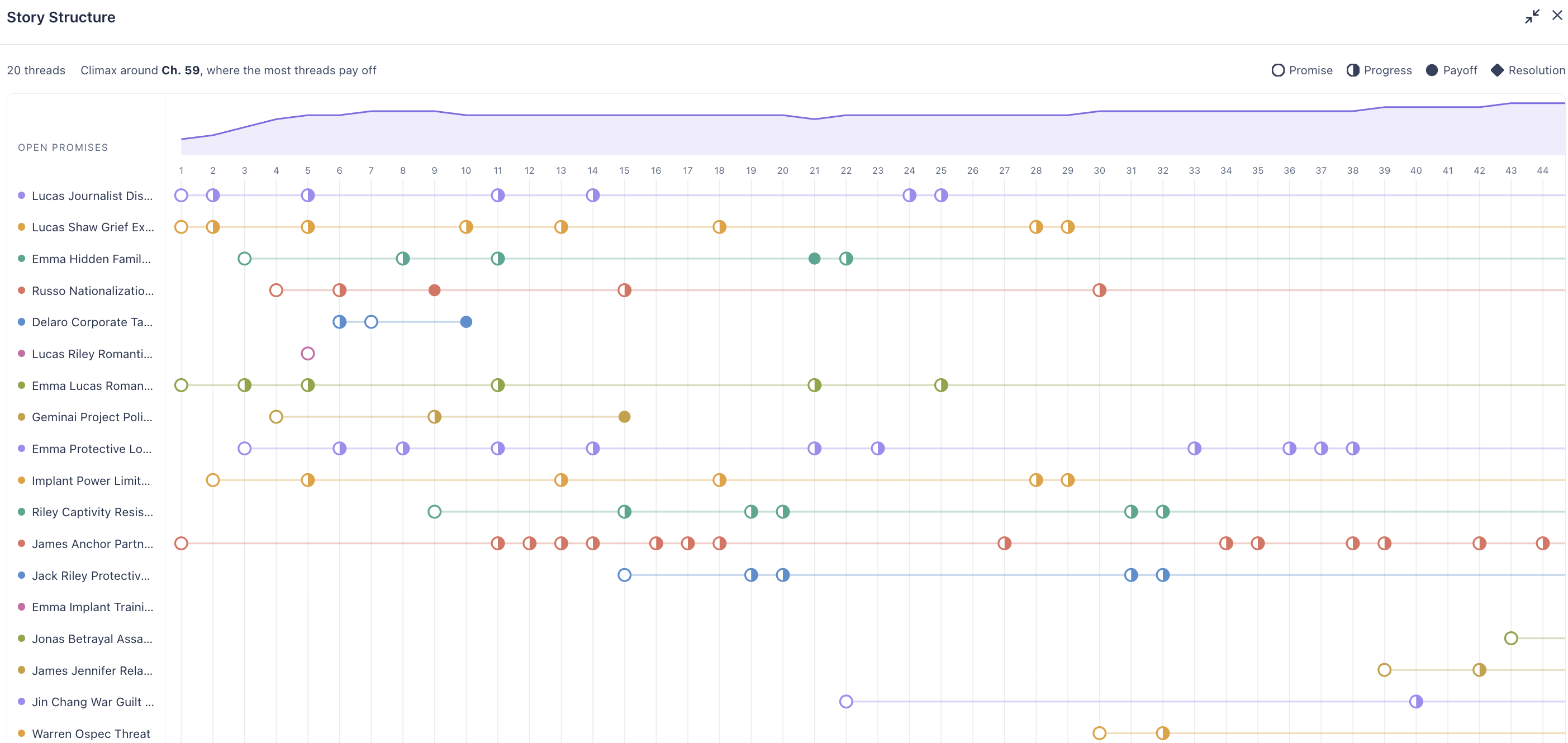
Every thread, and where each one lands.
Every thread across every chapter, with where it is promised, pushed, paid off and resolved, plus the tension curve and the chapter your threads actually converge on. If your climax is not where you thought it was, this is where you find out.
Story structure
Who it's for

Already deep in Word
or Google Docs?

Keep writing where you write. Bring the book here for the part general tools are bad at: an editor that has read it.

Mid-draft
Use it just for the feedback
Upload your manuscript as a .docx — from Google Docs, File → Download → Microsoft Word. Get chapter-by-chapter notes, continuity checks and copy edits, then carry on in your usual document.
Tired of chatbots
Stop coaxing useful notes out of them
If you've been pasting chapters into a general AI and getting generic advice — or watching it lose the thread three messages in — try Raised Letters for that alone. It keeps your story bible and the chapter in front of it, every message.
Starting fresh
Or bring the whole book home
Starting something new, or ready to move? Plan, write and finish in one place — outline, story bible, chapters, beta readers and a submission-ready export.

You don't have to move in. Start with the feedback.

Finish

Take it
the last mile.

Gather beta-reader notes, generate a submission-ready package, and track every agent you query — all the way to yes.
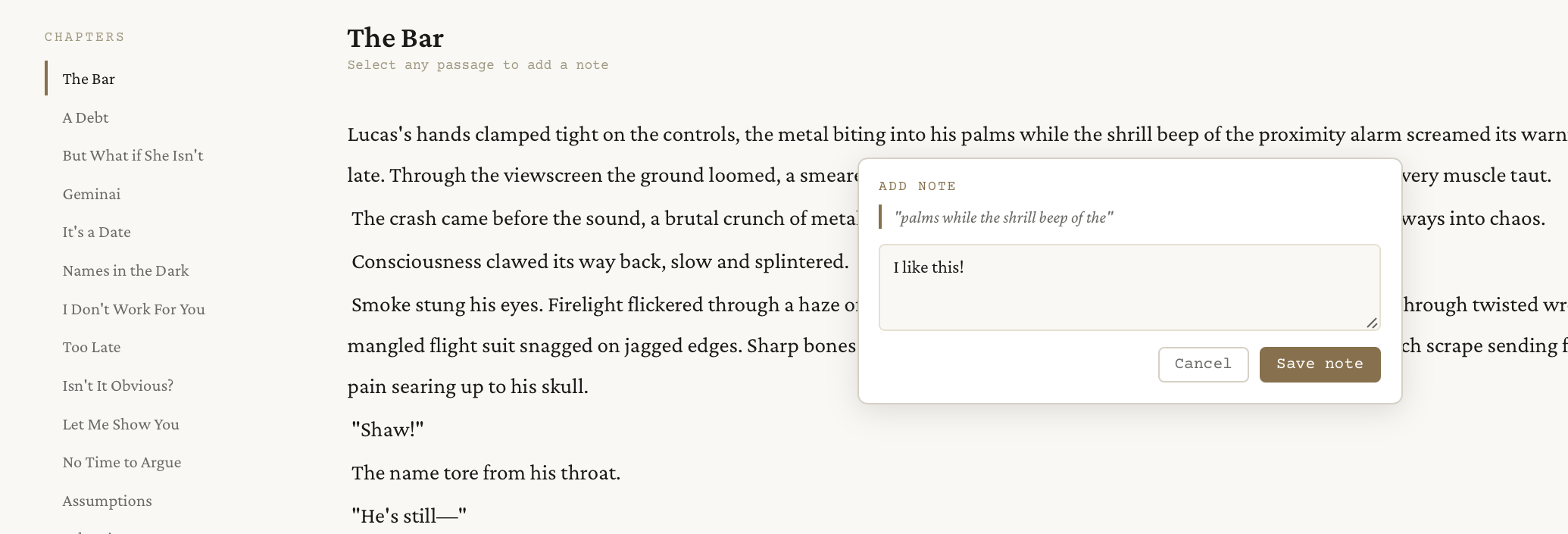
Beta Readers
Notes, round by round.
Share a frozen draft with readers and collect their notes organized by chapter. Run multiple rounds, each tied to a specific version, so feedback never gets confused across drafts.
Beta Readers
Plans

Start free.
Stay when it works.

30 days to work with your manuscript, no card required. Subscribe whenever you are ready — there is no charge until you choose to.

Every plan is the complete app
Chapter editor with scenes & formattingFootnotes & margin notesOutline & chapter structureManuscript upload & analysisWorld bible & style guideChapter summaries & timelineCharacter & plot mapsAll editorial lenses & personasVersioned beta-reader sharingQuery letters, synopsis & submission trackerExport for agents, KDP & print (PDF & Word)Native Mac app · works offline
The only difference is how much you lean on the craft tools. Pick your pace:
Author
$12 /mo
500K tokens / month
The full editor for everyday writing and editing, with the craft tools on hand for moderate use.
Writer
$29 /mo
3M tokens / month
For writers who lean on the craft tools heavily.
Editor
$49 /mo
6M tokens / month
For heavy use — multiple large projects in active revision.

No card required. Subscribe only when you are ready to keep going.

FAQ

Questions, answered honestly.

Overview
What is Raised Letters?
Raised Letters is a writing app for writers of fiction and non-fiction — a complete environment to draft, organize, and revise your manuscript. It also includes AI features, but built on a different philosophy than most tools: it never writes your prose for you. Instead, thoughtful engineering means the AI genuinely knows your book — your characters, your world, your voice, your style — so its guidance is specific to your story, not generic. It helps you write better; the craft stays yours.
How does Raised Letters approach AI?
Raised Letters includes AI, but the philosophy is the opposite of most tools. Most are built around generation: you give a prompt, they produce prose.
We don't write for you. The AI is diagnostic and deeply context-aware — careful, deliberate engineering means it actually knows your book: your POV, your tense, your style guide, your story bible, even your invented terminology. When it flags a passage it tells you what the craft problem is and why. The note is specific because the tool knows your story, not because it pattern-matched generic writing advice.
From there you can go further. Ask how to fix it and it researches how published authors solved the same structural challenge, then breaks down the technique so you can apply it in your own voice. You write the solution. You keep your voice, and you actually learn the craft.
How it works
How do the editorial lenses work?
Each built-in lens applies a specific set of craft priorities to your work. Genre-focused editors push on the things that matter most in that form. The lens always works within your world and voice — your style guide and world bible are respected. It is a lens, not a takeover.
The lens matters because what counts as good writing changes by genre. A literary-fiction editor who prizes sentence-level compression is the wrong reader for a commercial thriller — they would flag the momentum your actual readers showed up for.
How does custom editor creation work?
You type any name: an author you admire, an editor whose approach you've read about, or a voice you invent. Raised Letters researches their documented craft priorities and generates a tailored editorial lens. You can review and edit the generated prompt before saving. Custom editors persist across all your projects.
Will the AI write my book for me?
Only if you ask it to. By default, Raised Letters gives editorial feedback and direction. You can enable "only rewrite if asked" in your project settings, which means the AI will never generate prose unless you explicitly request it.
Your manuscript
What can I upload?
You can upload manuscripts as .txt, .md, .pdf, .doc, or .docx files. Raised Letters will split your manuscript into chapters, generate summaries, extract character maps, and build a world bible and style guide automatically.
Does it work offline?
Yes — the native Mac app works fully offline. You can write, edit, and navigate your manuscript with no connection. AI features require internet access, but everything structural (the editor, outline, story elements, versions) is available offline. Your work syncs automatically to the cloud when you reconnect.
Is my writing private?
Yes. You own your writing. We do not use your manuscripts to train AI models, and we do not share your content with third parties.
Billing & account
How does usage work?
Each plan includes a monthly usage allocation that covers all features. Author (500K tokens/mo) suits most writers using the app at a normal pace. If you work at higher intensity — deep revision, multiple sessions a day, multiple projects — Writer (3M) or Editor (6M) are built for that pace. If you ever run out on any plan, a $10 top-up adds a substantial additional allocation that never expires.
What's the difference between Author, Writer, and Editor?
All three plans include every feature. The only difference is usage — Author gives 500K tokens/mo, Writer 3M, Editor 6M. Start with Author and upgrade only if you actually need more room.
Can I cancel anytime?
Yes. Cancel anytime. No questions, no forms, no phone calls. Your subscription ends at the close of your current billing period and you retain full access until then.